Free
$0
Enough to find out if it sticks.
- 5 recordings or 15 minutes in total, whichever comes first
- Live transcription in 54 languages
- Automatic titles and tags
- Folders, pins and search
- Widgets, Control Center and Siri
Murmr · Private voice notes for iPhone.
*On your iPhone, and nowhere else.
Move anywhere up here to talk into it.Tap anywhere up here to talk into it.
An animated voiceprint records a short spoken note and turns it into a transcript, then a one-line summary.
You think best out loud: on a walk, in the car, the minute a meeting ends. Then the thought is gone. Murmr writes it down, pulls out the gist and the to-dos, and files it where you’ll find it again. All on your phone. Only on your phone.
How it works
One recording becomes a transcript, a three-line gist and a to-do list, with a title and tags you didn’t have to type.
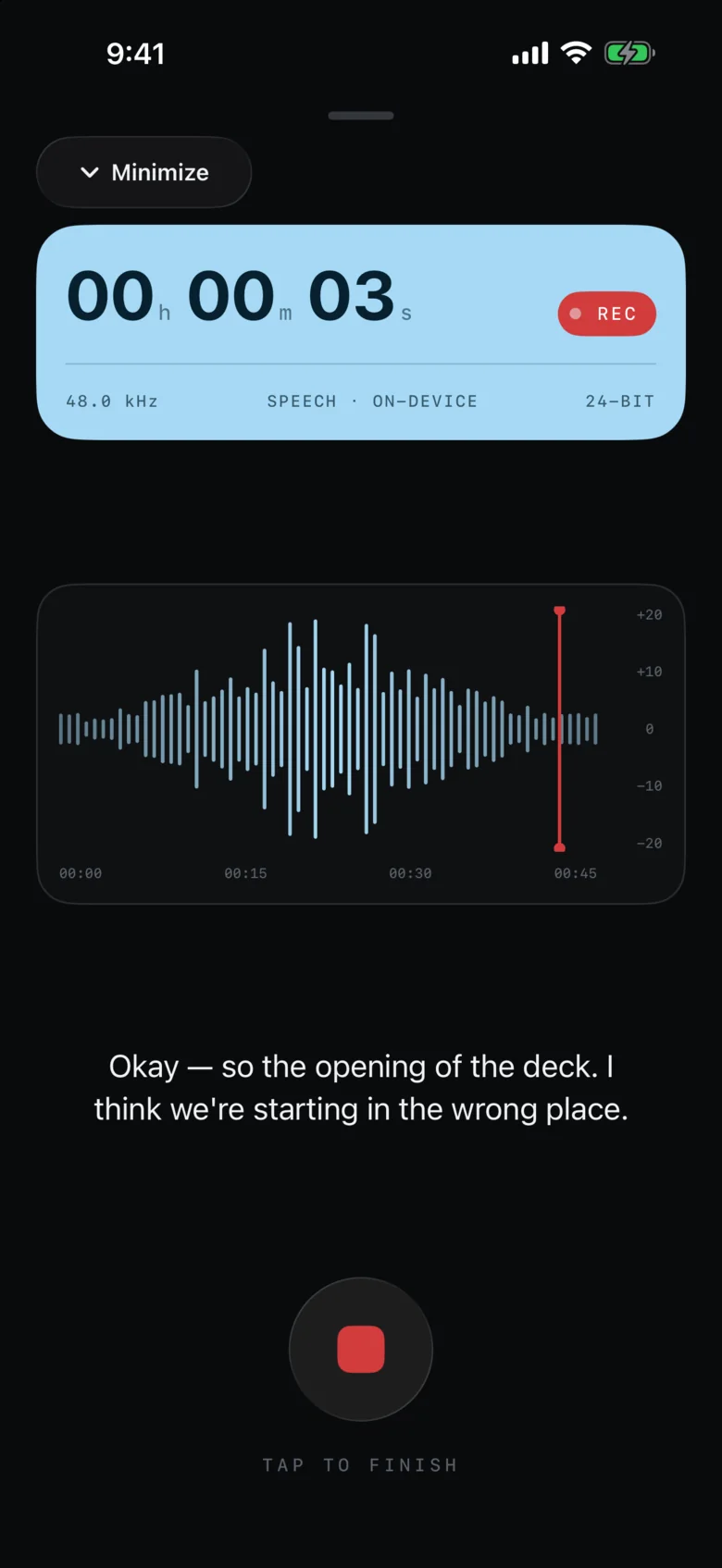
Download on iOSRecord from the app, a Lock Screen widget, Control Center or Siri. The transcript writes itself while you speak.
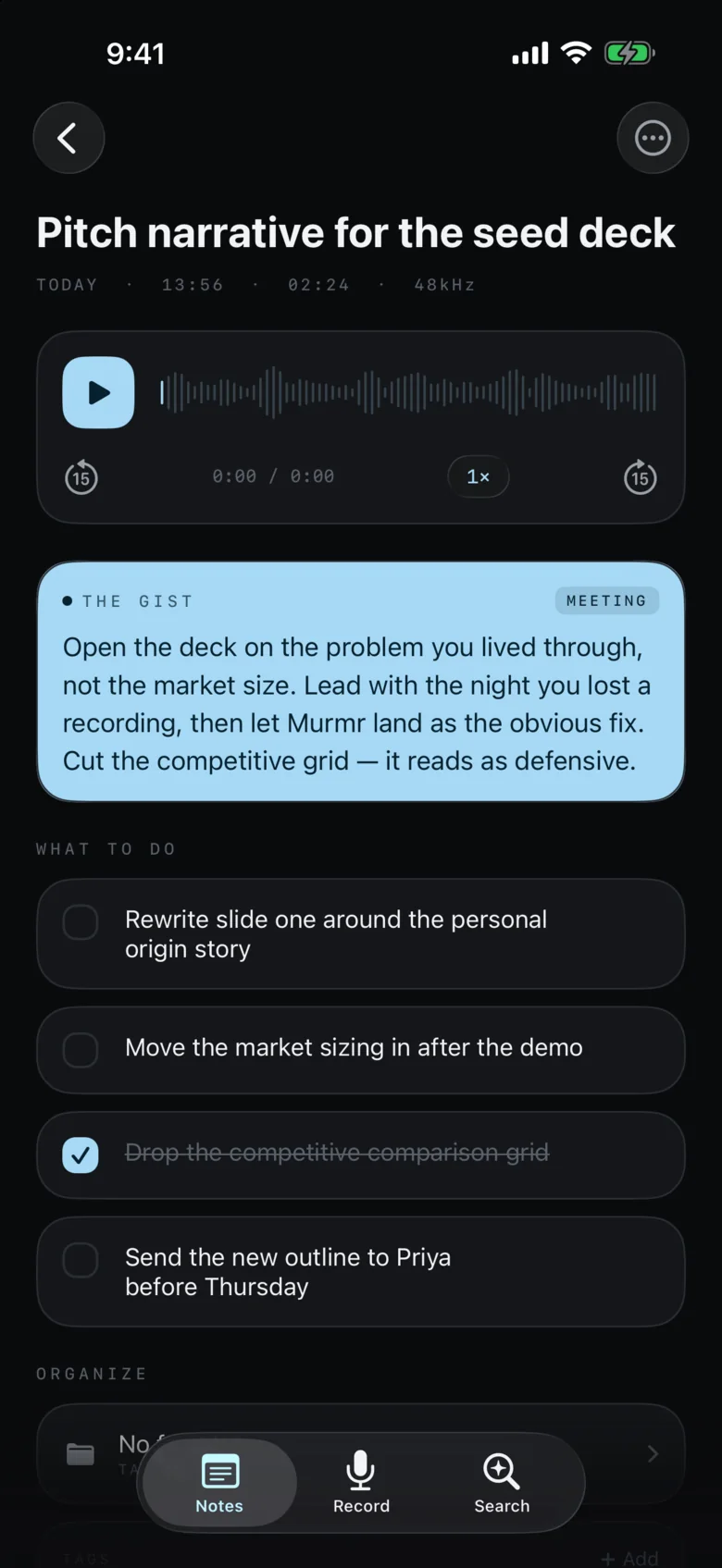
Stop, and Murmr hands back a short summary and a checklist of everything you said you’d do.
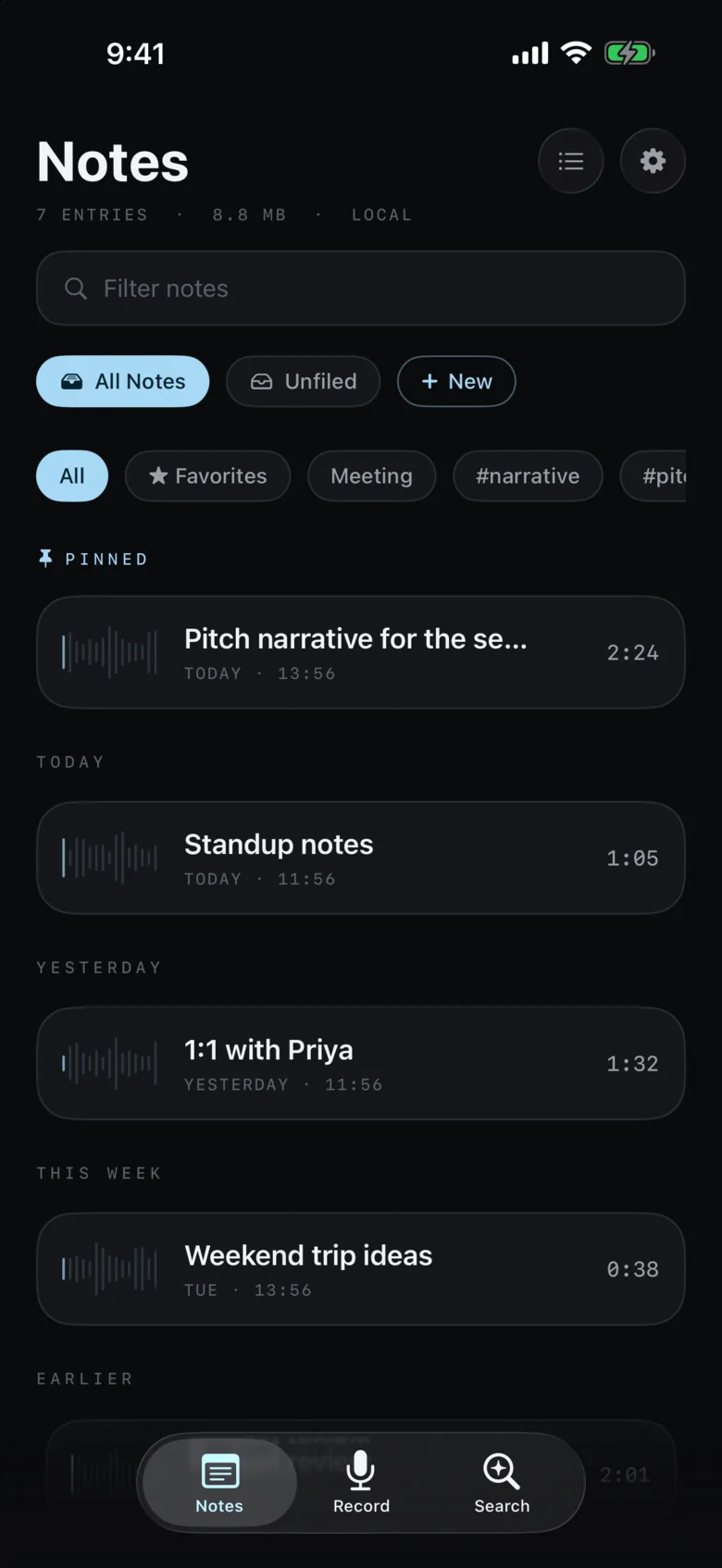
Every note names and tags itself. Pin what matters; the last thirty days stay up front.
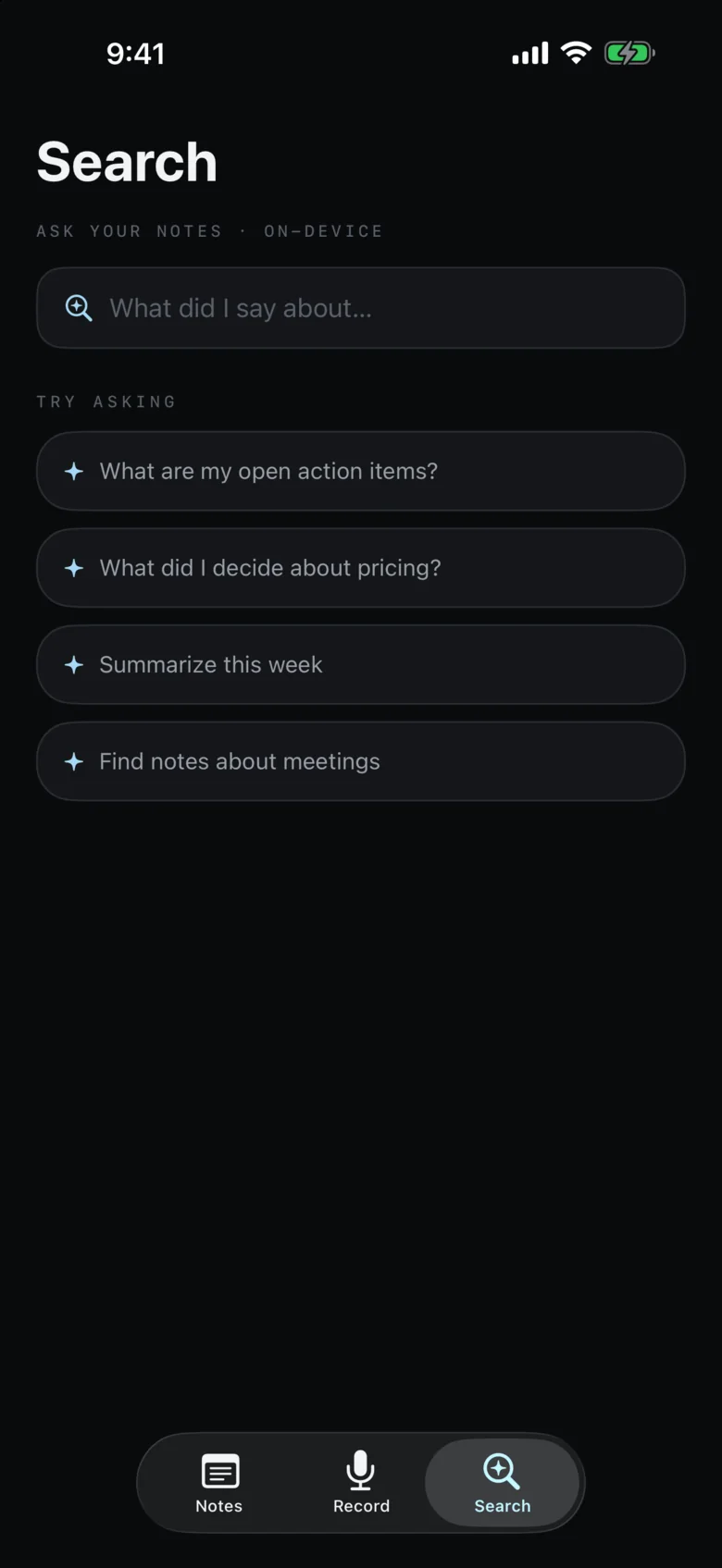
Search by what you meant, not the exact words you used. Or ask a question and get an answer from your own notes.
Recording
No setup, no account, no waiting for an upload. Press record and the words appear as you say them, with timecodes, in any of 54 languages.

AI summary · Pro
The gist Meeting
Open the deck on the problem you lived through, not the market size. Lead with the night you lost a recording, then let Murmr land as the obvious fix. Cut the competitive grid; it reads as defensive.
What to do
Tick them off. Go on.
A ten-minute ramble is a lot to read back. Murmr reads it for you and keeps what matters: a few sentences on what you said, and a checklist of what you said you’d do.
Summaries use Apple Intelligence, on your iPhone. They need an iPhone that supports it.
Ask your notes · Pro
Murmr searches by meaning, so “the pricing chat” finds the note where you said “what we charge”. Ask a question and it answers from your notes, and shows you which ones.
Search is free. Answers are part of Pro.
Try asking
Answer
Sources
Pick a question. These are example notes; yours stay on your phone.
Privacy
Most AI note apps send your recordings to a server to be transcribed and summarised. Murmr doesn’t have a server. Apple’s on-device speech and language models do the work on your iPhone, so there’s nothing to upload and no account to protect.
That’s also why we can’t read your notes, recover them, or hand them to anyone. Your iPhone’s own iCloud Backup includes them, so keep it switched on.
Widgets, Dynamic Island & Siri
Good ideas don’t wait for you to unlock your phone and find an app. Murmr is a tap, a button or a sentence away.
The Quick Record widget starts a note in one tap. While it runs, the Dynamic Island shows a live waveform and the time, so you never wonder whether it’s on. Try the button.
Add the Record control and start a note without opening anything.
“Record a note in Murmr.” “Ask my Murmr notes.”
Your notes turn up in iPhone search, next to everything else.
Send to-dos to Apple Reminders. Export notes to Markdown, plain text or PDF.
Languages
Murmr transcribes in your iPhone’s language, or any of 54 you pick, each listed in its own script. Change your mind later: any note can be transcribed again in another language.
Pricing
$0
Enough to find out if it sticks.
Everything, no limits
$3.99/mo
Billed monthly. Cancel anytime.
Prices in US dollars; the App Store shows yours. Pro renews automatically until you cancel in your App Store settings. AI features need an iPhone that supports Apple Intelligence.
FAQ
No. Recording, transcription and the AI summaries all run on your iPhone. Murmr has no server to send anything to. If you turn on iCloud Sync, your note text syncs through your own private iCloud. Audio files stay on the device they were recorded on.
Murmr runs on iOS 26.1 or later. Summaries, action items and answers use Apple’s on-device foundation models, so they need an iPhone that supports Apple Intelligence. On other iPhones Murmr still records, transcribes, titles and tags; you just won’t get the summary.
Free gives you up to 5 recordings or 15 minutes of recording in total (whichever comes first), plus transcription, automatic titles and tags, organisation and search. Pro removes the limit and adds AI summaries and action items, answers across your notes, iCloud Sync, backup and restore, and export to Markdown, text and PDF.
54, including Arabic, Russian, Turkish, Hebrew and Hindi. Pick one in Settings or leave it on your device language. Any note can be transcribed again in a different language from its menu.
Your notes are included in your iPhone’s normal iCloud Backup, so restoring a new phone from backup brings them across. Or, with Pro, use Settings → Sync & Backup → Export backup to save one file with every note, transcript, summary and recording, then Restore from backup on the new phone.
Subscriptions are managed by Apple: open Settings on your iPhone → your name → Subscriptions → Murmr. You can also get there from Murmr → Settings → Manage Subscription.
Open Settings → Restore Purchases in Murmr. There’s no Murmr account, so your subscription is tied to your Apple ID.
Only from a backup. Murmr has no server, so we can’t recover anything for you. That’s the trade for your data never leaving your phone, and why exporting a backup now and then is a good habit.
Still stuck? Email [email protected] with your iPhone model and iOS version. Please don’t send recordings or transcripts; we can’t open them, and you shouldn’t need to share them.
Free to try on iPhone. No account, no sign-in, nothing uploaded.
Download on iOS